Installation
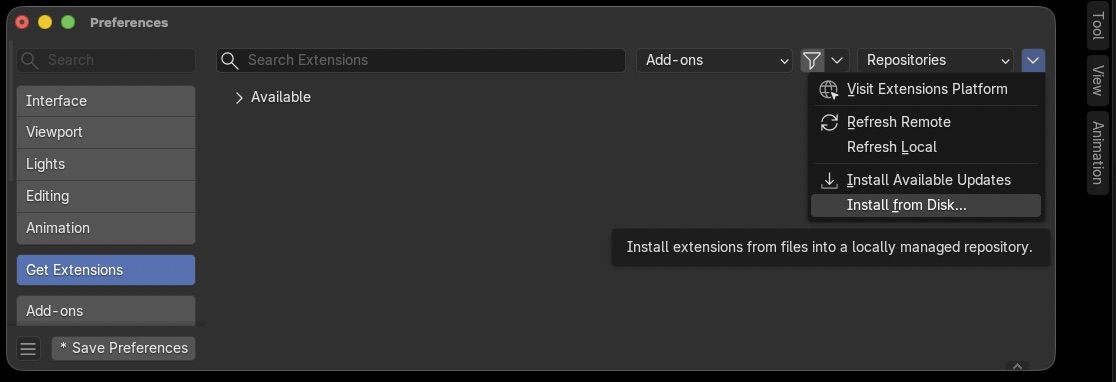
Installing the extension.
Download sms_macros-2.0.0.zip and save it to any folder.
Open Blender.
Click Edit > Preferences in the Blender menu.
Navigate to Get Extensions > Extensions Settings > Install from Disk…
Browse to the folder containing sms_macros-2.0.0.zip.
Select sms_macros-2.0.0.zip and click Install from Disk.
The extension will now be available in the N‑Panel under SMS Macros.
Optionally, click Save Preferences to enable the extension on startup.

Successful install.
After installing, you will need to configure your presets folder in the Options panel before you can use the Recorder or Player.